Please Help Us Validate Your Location
USE YOUR MOBILE PHONE TO DO THIS
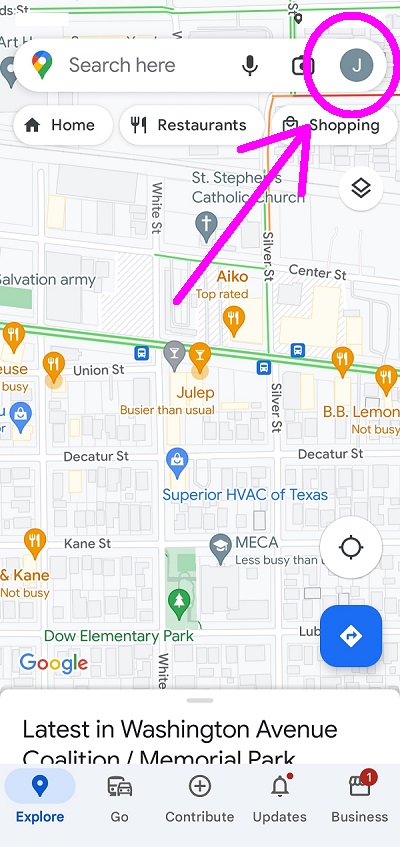
1. Open Google Maps app from your mobile phone.
(Make sure you are logged into your personal Google / Gmail account that you use daily)
2. Top right of the screen. Tap the circle icon of your Google Profile.
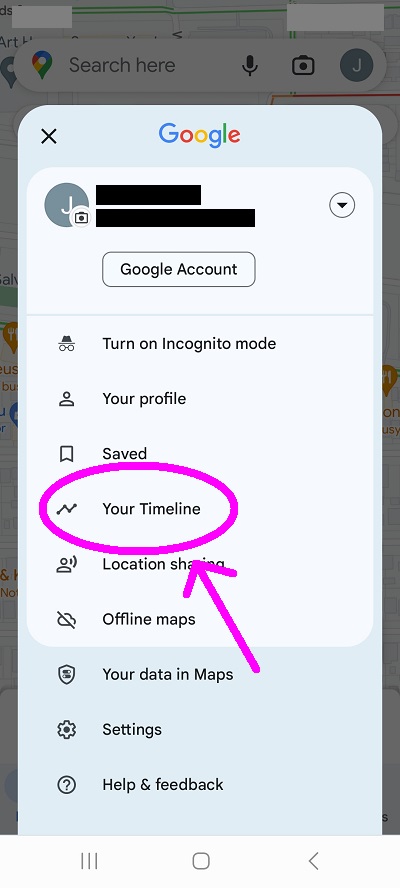
3. Middle of the screen. Tap Your Timeline.
4. Top right of screen. Tap Cities.
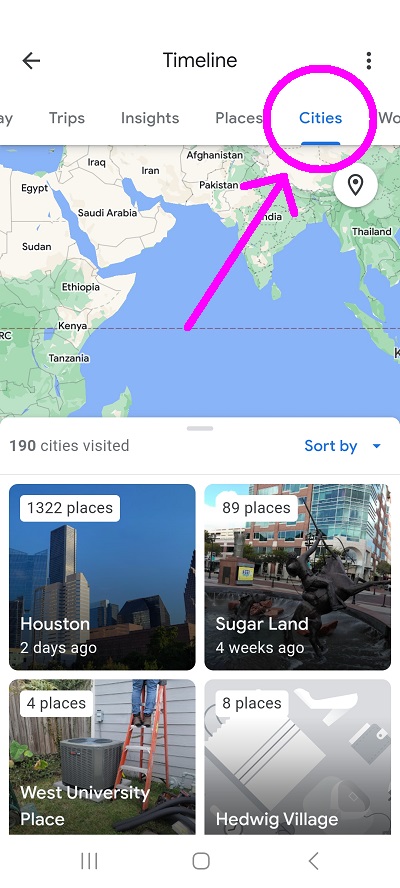
5. Swipe up just a bit to show cities visited.
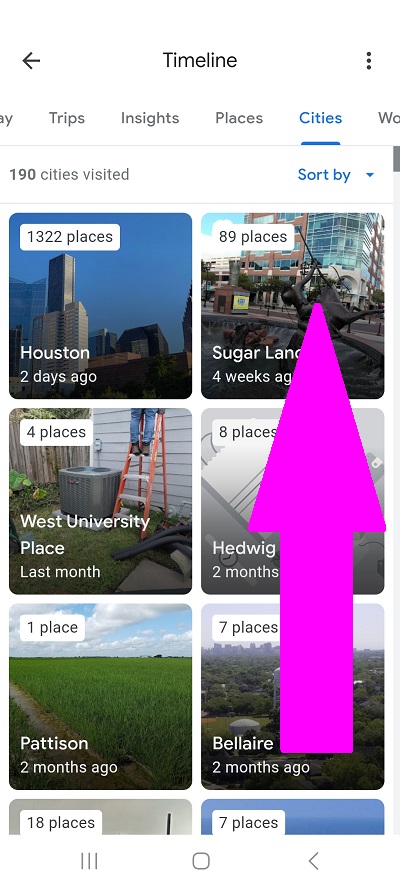
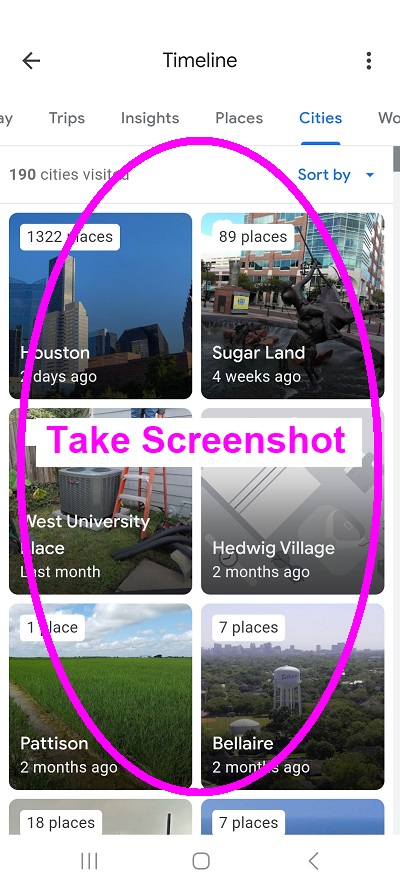
6. TAKE A SCREENSHOT OF YOUR CITIES. You will upload this later in the apply form.
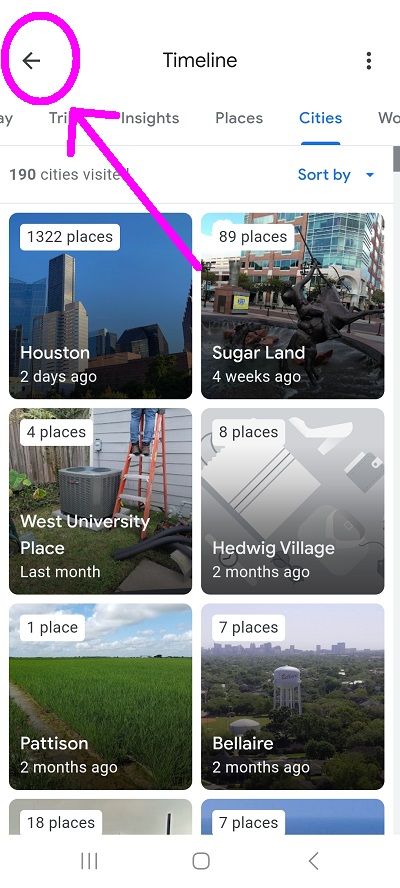
7. Top left of the screen. Tap <- to go back to the app home screen. Your search bar should also be blank.
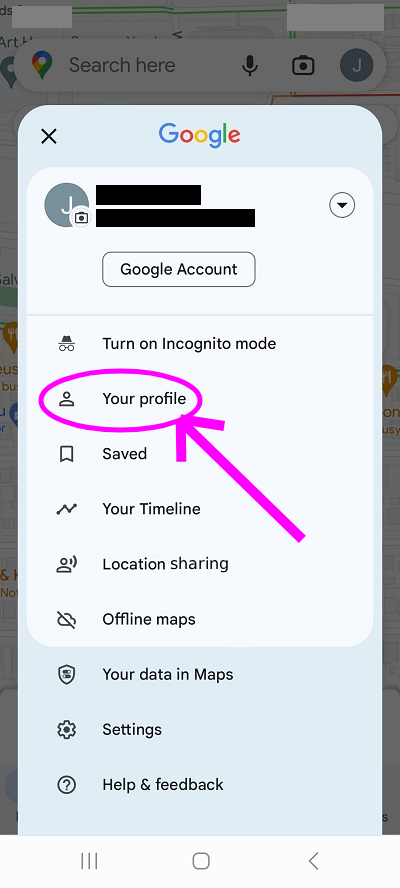
8. Top right of the screen. Tap the circle icon of your Google Profile again.
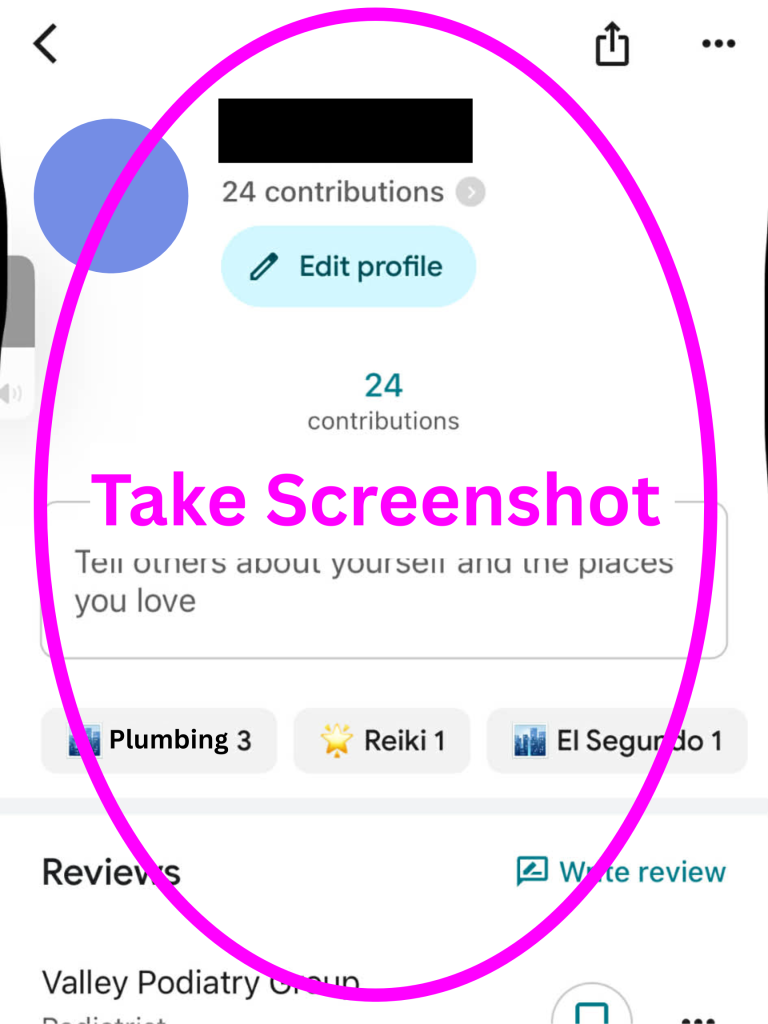
3. Middle of the screen. Tap Your Profile.
6. TAKE A SCREENSHOT OF YOUR CONTRIBUTIONS. You will upload this later in the apply form.